
Old photo restoration: what to send and what to expect

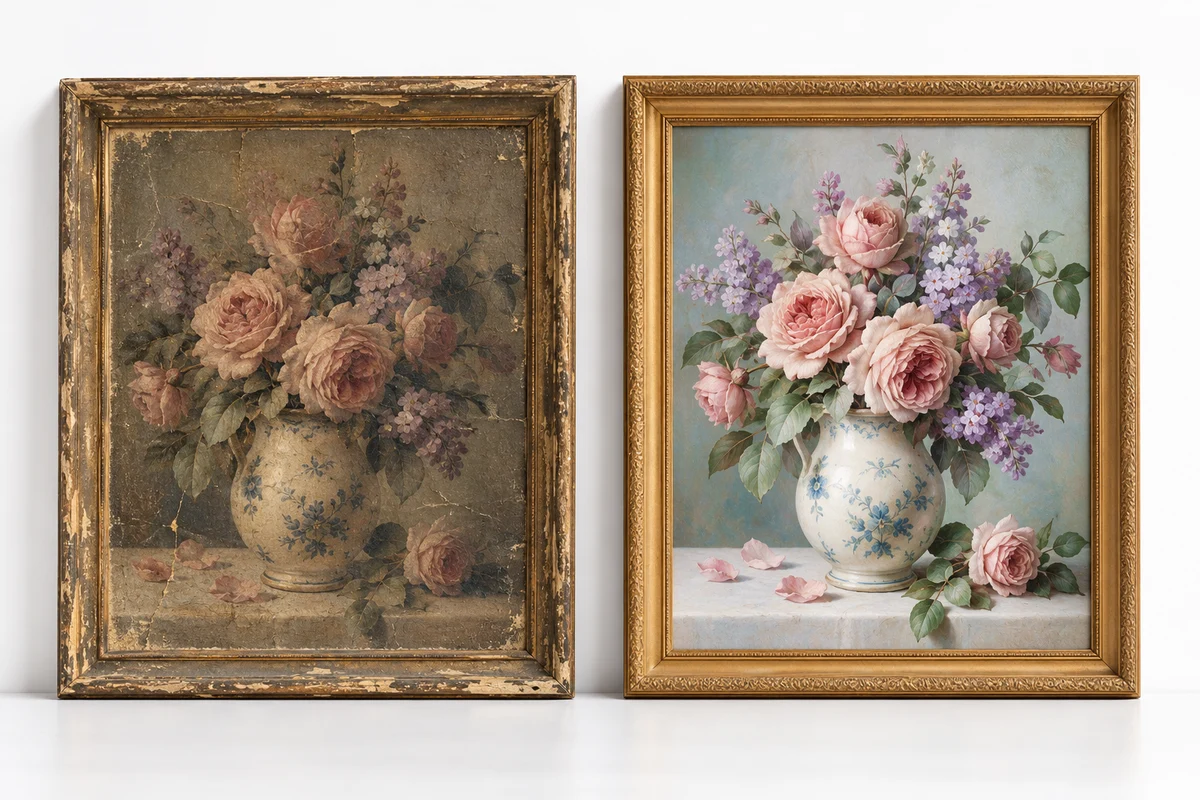
Send the clearest copy of the original photograph and explain what you want preserved. Restoration can reduce visible wear and improve presentation, but missing detail may need interpretation. Agree the treatment and review a proof before ordering prints.
Capture the original carefully
If you have a scanner, make a clean scan and keep the original file. If you use a phone, place the photograph on a flat surface with even light, hold the camera parallel to it and avoid glare. Do not apply a beauty filter or heavy sharpening before sharing the source.
Check the corners, faces and fine details at full size. Send the original image file where possible instead of a screenshot of a message. Keep a separate untouched copy so there is always a reference for the restoration.
Describe the changes you actually want
Some people want a photograph to retain its age and character; others prefer cleaner tones and fewer marks. Mention scratches, fading, stains or damaged edges individually. If the photograph contains people, explain which identifying details must remain unchanged.
Do not assume colourization is part of basic cleanup. Adding colour to a black-and-white photograph involves interpretation unless reliable references exist. Similarly, a completely missing face or background cannot be recovered with certainty from pixels that are absent.
Agree boundaries before detailed work
- Whether the image should remain monochrome or have adjusted colour.
- Which marks should be removed and which historical details should stay.
- Whether a crop is acceptable and which parts must remain visible.
- Whether AI-assisted reconstruction may be used for damaged areas.
- The intended print size and whether digital delivery is also needed.
A heavily damaged photo should be assessed before a final quote. The amount of work depends on the condition of the source, not simply the number of photographs. Send a representative image rather than describing all damage as a small scratch.
Review the restoration at a useful size
Compare the proof with the original, looking at identity, texture, edges and areas that were reconstructed. Ask for revisions together so the feedback is clear. Avoid approving a tiny phone thumbnail if the final print will be much larger.
An attractive digital preview does not automatically mean the file supports a large print. Ask for a size recommendation based on the available detail. Enlarging an image changes its dimensions but does not guarantee accurate new information.
How do printed orders work?
Confirm the paper finish, dimensions, quantity and delivery city after the edit is approved. Production time and courier transit are separate. Keep a copy of the approved proof and confirm any courier charge before payment.
Start with the old photo restoration service. For a display or gift, explore the Polaroid-style print pack. These are bordered photo-paper prints; discuss the final crop and delivery details with Moiz before ordering.